[ PCIE 3.0 NVME // IDENTIFIED PRODUCT ]
WD Blue SN570 1 TB (WDS100T3B0C)
Product-specific catalog record for the manufacturer code below. Performance figures are manufacturer-rated values, not independent test results.
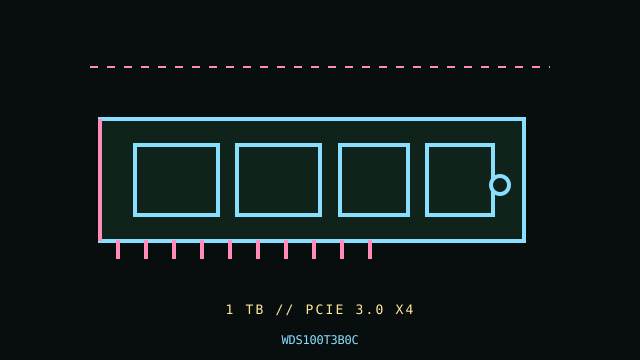
IDENTIFY THE EXACT SKU: Compare the full MPN, label suffix, form factor, firmware and any OEM/security code before applying these notes. Family variations, capacity changes and factory thermal assemblies can materially change ratings and compatibility.
Manufacturer-identified specifications
| Product / MPN | WD Blue SN570 1 TB (WDS100T3B0C) — WDS100T3B0C |
|---|---|
| Capacity / form factor | 1 TB; M.2 2280, single-sided bare module. |
| Interface / lane width | PCIe 3.0 x4. |
| Protocol | NVMe 1.4. |
| Rated performance / endurance | Up to 3,500 MB/s sequential read and 3,000 MB/s sequential write; 600 TBW for 1 TB SKU. |
| Heatsink / revision caveat | Bare module; no factory heatsink. Fit and sustained thermal behavior depend on host cover, pad contact and airflow. Confirm the complete WDS100T3B0C product code and label. It is a Gen3 NVMe M.2 device, not SATA M.2. A higher-generation host will negotiate a lower Gen3 link; booting is controlled by platform UEFI and OS support. |
Compatibility, installation & service
- Verify M-key PCIe/NVMe wiring, M.2 2280 standoff and UEFI boot support in the host manual. Check lane sharing and board thermal-pad arrangement; do not cover the drive with a heatsink that lacks contact or adequate clearance. Check SMART health and firmware with current SanDisk/WD support tools and keep a backup before any update or replacement.
- Confirm the complete WDS100T3B0C product code and label. It is a Gen3 NVMe M.2 device, not SATA M.2. A higher-generation host will negotiate a lower Gen3 link; booting is controlled by platform UEFI and OS support.
- Confirm host boot mode, OS NVMe support, CPU lane generation, socket length/keying, power and controller/backplane qualification from the system manual; physical fit alone does not establish compatibility.
- Before drive replacement, check backup integrity, encryption keys, firmware settings, recovery media and array rebuild plans. Use electrostatic-discharge precautions and never hot-remove unless the host documentation explicitly supports it.
Manufacturer references
- WD Blue SN570 1 TB — manufacturer SKU specification listingManufacturer specification/product reference. Verify the precise SKU and its capacity-specific table, manual or linked downloads against the installed drive label.
- NVM Express — specificationsProtocol standards reference; it does not establish product-specific features or host boot support.
- PCI-SIG — PCI Express specificationsInterface generation/lanes standards reference, not a substitute for the host motherboard/server manual.
Manufacturer peak ratings reflect stated test conditions and may not represent sustained writes in a thermally constrained or cache-exhausted host. Confirm current regional support, service status and warranty terms before use.