[ INDIVIDUAL COMPONENT // MOTHERBOARDS ]
MSI MAG X870 TOMAHAWK WIFI
AMD X870 Socket AM5 retail motherboard, 2024. This record describes only the named model; confirm the printed model, revision and firmware on the physical board.
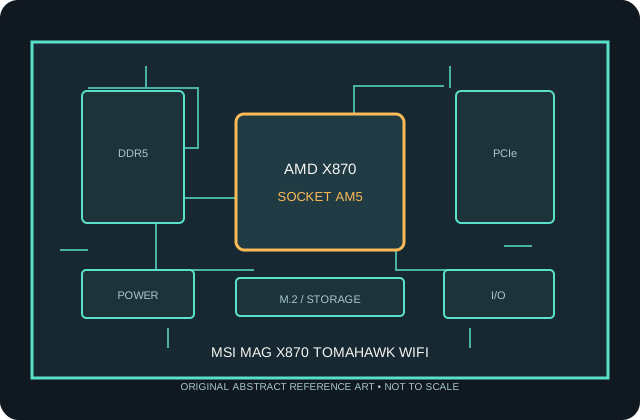
MODEL / REVISION WARNING: Similar names, Wi-Fi variants and PCB revisions can differ in wireless hardware, connectors, lane routing and firmware. Identify the exact model and revision before installation or BIOS updates.
Specifications
| Model / chipset | MSI MAG X870 TOMAHAWK WIFI — AMD X870, 2024 |
|---|---|
| Socket / processor compatibility | Socket AM5 and X870 chipset. Only CPUs present in MSI's MAG X870 TOMAHAWK WIFI compatibility table are supported, and BIOS version may be required for newer Ryzen generations. |
| Memory | Four DDR5 DIMM sockets, dual-channel and EXPO support. Maximum capacity and validated speeds are subject to CPU memory controller, BIOS and MSI's DIMM QVL. |
| Form factor | ATX (305 × 244 mm) |
| PCI Express expansion | Primary CPU slot supports PCIe 5.0 x16; secondary x16-length expansion runs at reduced electrical width. PCIe lane distribution and M.2 sharing depend on the installed CPU and device population. |
| Storage | Four M.2 sockets, including CPU-connected PCIe 5.0 x4 storage and PCIe 4.0 sockets, plus four SATA 6 Gb/s ports. Consult MSI's manual for socket lengths and shared lanes. |
| Rear I/O | Two rear USB4 40Gb/s Type-C ports, USB 3.2 Type-A/C and USB 2.0 ports, HDMI, 5GbE, Wi-Fi antenna connectors, audio and Flash BIOS button. |
| Networking / audio | 5Gb Ethernet, Wi-Fi 7 / Bluetooth and onboard multichannel audio; exact wireless operation requires the included antenna. |
| Firmware / compatibility | UEFI support, CPU list and minimum BIOS are model-specific. AM5 uses DDR5 only. Match the case to the stated board dimensions, use the correct EPS/ATX power leads, install the AM5 cooler with its supported mounting hardware, and check the manual's lane-sharing/connector tables before populating M.2 and PCIe devices. |
Compatibility notes
AM5 processors are not interchangeable with AM4 CPUs. Consult the manufacturer's CPU support list for the exact board and verify the required BIOS before purchasing or installing a processor. A BIOS flash utility does not make an unlisted CPU compatible.
DDR5 EXPO profiles are memory overclocking; stability, capacity and transfer rate depend on the CPU memory controller, DIMM type/population, firmware and the board's validated memory list. Storage protocols, expansion-slot widths, graphics lane reduction, SATA disablement and USB functionality depend on the connector and lane-sharing rules described in the current manual.
Confirm the physical dimensions and standoff layout against the chassis, install only the correct AM5 cooler hardware, connect required CPU power leads, and use the supplied Wi-Fi antenna where fitted. Firmware updates must match this exact model/revision and follow the manufacturer's procedure.
Preservation and handling
AM5 is an LGA socket: protect its exposed contacts from handling damage and contamination. Before installation, inspect the socket, DIMM slots, M.2 thermal pads, rear-I/O shield and power connectors. Record PCB revision, serial/date codes and BIOS version; retain the original packaging and document test conditions and any repairs.
Manufacturer sources
- MSI MAG X870 TOMAHAWK WIFI — product and manualManufacturer-provided model reference; use this resource to confirm specifications and model-specific support.
- MSI MAG X870 TOMAHAWK WIFI — specifications and supportManufacturer-provided model reference; use this resource to confirm specifications and model-specific support.
Static summary for identification; manufacturer's documentation is authoritative. Confirm current CPU support, BIOS, memory population and resource sharing for the exact physical board.