[ INDIVIDUAL COMPONENT // MOTHERBOARDS ]
ASUS ROG Maximus VIII Hero
Intel Skylake enthusiast desktop platform, 2015. This record documents the named model and its documented variants; confirm the PCB revision, submodel and firmware on the physical unit.
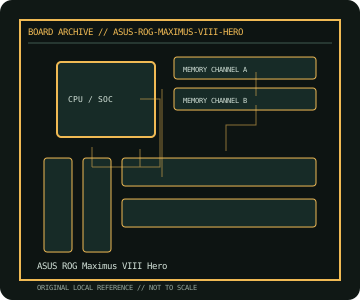
REVISION WARNING: Similar model names and PCB revisions may have different processors, connectors or firmware. Read the silkscreen and assembly code; use the support files for that exact board variant.
Specifications
| Catalog subcategory | Enthusiast Intel platforms |
|---|---|
| Exact model / era | ASUS ROG Maximus VIII Hero — Intel Skylake enthusiast desktop platform, 2015 |
| CPU and socket / SoC | LGA1151 6th-generation Intel Core, Pentium and Celeron processors; check ASUS CPU list for later-generation support and BIOS |
| Chipset / platform | Intel Z170 Express |
| Memory | Four DDR4 DIMM slots, dual-channel, up to 64 GB per model specification; supported rates depend on CPU and memory profile |
| Slots and connectivity | ATX; three PCIe 3.0 x16-length slots with lane sharing and three PCIe x1; M.2, SATA Express, six SATA 6 Gb/s, USB 3.1 and Gigabit LAN |
| Firmware | ASUS UEFI BIOS with USB BIOS Flashback; only use the Maximus VIII Hero (not Hero Alpha/Formula) firmware and follow Flashback steps. |
Compatibility and revision notes
This is an LGA1151 DDR4 Z170 model; the socket's appearance alone does not qualify 7th-generation CPUs—check exact CPU/BIOS support. M.2 and SATA Express share platform resources.
Socket, connector shape and family branding alone do not establish compatibility. Verify the exact processor list, minimum BIOS, memory population table, power input, dimensions, and shared-lane behavior in the cited manual before installation.
Preservation and repair
Inspect LGA1151 contacts, M.2 standoff, rear USB ports and onboard CMOS reset controls. Record BIOS version and fan profiles before repair; use the board's BIOS Flashback procedure with a correctly formatted USB drive.
For archival preservation, photograph the PCB, labels, connectors and included accessories before cleaning. Record serial/date codes, firmware versions, known faults, prior repairs and test conditions; use ESD-safe handling and do not power a board with loose conductive hardware beneath it.
Sources & further reading
- ASUS ROG Maximus VIII Hero — product/manual referenceModel-specific platform, board layout and interface reference.
- ASUS ROG Maximus VIII Hero — support and firmware resourcesSupport documentation; match the PCB revision, CPU support list and firmware release to the physical board.
Manufacturer/model documentation is the primary reference. Where vendor support is archived, match its revision notes to the board and do not cross-flash firmware from a similar product.