[ INDIVIDUAL COMPONENT // SYSTEM BOARD ]
ASUS P5K-E/WiFi-AP (PCB Rev. 1.02G)
Intel P35 / LGA775 ATX platform, 2007. PCB revision 1.02G; DDR2, Wi-Fi-AP package, CPU list and BIOS requirements are model-specific. This record identifies one exact SKU/revision; verify the silkscreened board marking before firmware or component selection.
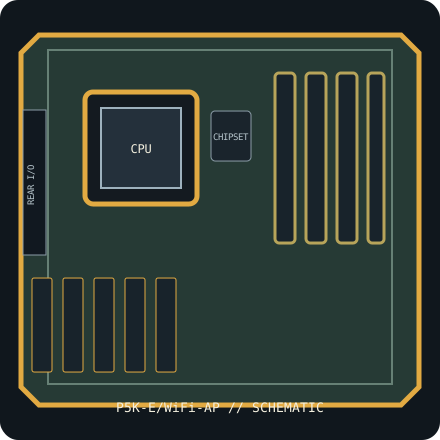
IDENTIFICATION: This entry is for P5K-E/WiFi-AP, PCB revision 1.02G. Similar family names, chipset stepping and board revisions may use incompatible BIOS, layouts or connectors.
Specifications & compatibility
| Exact board / PCB revision | P5K-E/WiFi-AP — PCB revision 1.02G |
|---|---|
| Platform / socket / chipset | 2007 Intel desktop platform; LGA775; Intel P35 Express + ICH9R |
| CPU compatibility | Intel Core 2 Quad/Duo, Pentium Dual-Core and Celeron LGA775 CPUs only where the ASUS P5K-E CPU support table lists the exact stepping and minimum BIOS. 45 nm CPU support is not implied by socket fit alone. |
| Form factor / dimensions | ATX, 305 × 244 mm |
| Memory | Four DDR2 DIMM slots, up to 8 GB dual-channel non-ECC unbuffered DDR2; faster profiles are overclock-dependent. |
| Expansion | Two PCIe 2.0 x16-length slots (one x16 and one x4 electrical), two PCIe x1 and three legacy PCI slots. |
| Storage | Six Intel ICH9R SATA 3 Gb/s ports, one PATA connector, one floppy connector and board-level eSATA via the secondary controller. |
| External I/O | Rear PS/2, USB 2.0, IEEE 1394, Gigabit Ethernet, analog audio and digital S/PDIF; Wi-Fi-AP package adds 802.11b/g wireless accessory support. |
| BIOS / firmware support | ASUS CrashFree BIOS 2 and EZ Flash 2; CPU support is model- and minimum-BIOS-specific. Confirm the P5K-E CPU table and installed BIOS before fitting a processor; never use firmware for a similar P5K variant. |
| PSU / case compatibility | ATX case with 305 × 244 mm board clearance, matching standoffs and expansion openings. Use a standards-compliant ATX PSU with 24-pin EATXPWR and 8-pin ATX12V connections; do not force a PCIe 8-pin plug into the CPU power socket. |
Installation and service notes
Confirm the exact CPU, minimum BIOS, DIMM type/capacity and supported slot/port mapping in the board-specific vendor support documents before purchase or installation. Socket fit is not proof of processor support; similarly named board firmware must not be cross-flashed.
Use ESD-safe handling, inspect the board for socket damage, leakage and corrosion, and keep loose screws or conductive debris away from the PCB. Check the case standoffs, PSU leads and cooler clearance against the manual before first power-on.
Manufacturer and manual sources
- ASUS P5K-E/WiFi-AP specificationsOfficial manufacturer specification entry for this model.
- ASUS P5K-E/WiFi-AP manual and BIOS supportOfficial manufacturer manual or revision-specific downloads for installation, CPU compatibility and BIOS support.
Specifications are archived for identification, not a guarantee that an aged board or used component is functional. Use the exact-revision vendor materials for final compatibility decisions.