[ FLOPPY EMULATORS // IDENTIFIED HARDWARE ]
Gotek SFR1M44-U Industrial USB Floppy Emulator
A model-specific record for physical floppy-drive emulation hardware. It distinguishes host-side floppy signaling from USB/flash image storage; model suffix, harness, and firmware matter for fit.
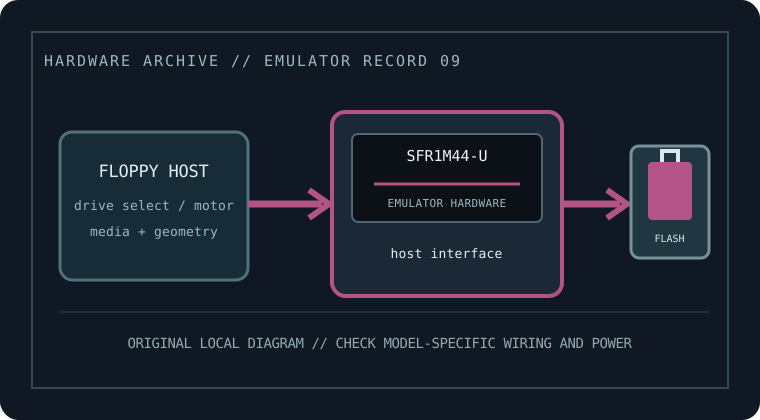
MODEL IDENTIFICATION: SFR1M44-U — Gotek SFR1M44-U Industrial USB Floppy Emulator. Compatibility depends on the exact host, connector, signals, firmware, and image preparation; a matching nominal capacity alone is not enough.
Recorded specifications
| Cataloged part / SKU | Gotek SFR1M44-U Industrial USB Floppy Emulator |
|---|---|
| Manufacturer | Gotek |
| Product family | 3.5-inch, 1.44 MB industrial-control USB replacement |
| Drive bay / physical fit | Industrial-control replacement; enclosure, bracket, and front-panel fit depend on the machine. |
| Host interface | Floppy drive signaling configured for industrial-control equipment. Match exact host pinout, select line, and ready/disk-change policy using the machine and Gotek manuals. |
| Supported floppy formats | Nominal 1.44 MB HD floppy target; do not assume all industrial disk encodings, nonstandard geometries, or boot conventions are supported by a standard sector image. |
| Image / storage handling | USB flash drive managed through the unit firmware; image formats and image-selection protocol are model/firmware dependent. Keep a verified backup of the machine’s disk set. |
| Disk-select / drive wiring | Do not copy a PC drive-twist convention blindly. Verify DS0/DS1, motor, density, ready, disk-change and connector orientation at the machine before powering. |
| Power | Use the host supply expected by the exact industrial unit/harness; confirm DC voltage and polarity from its marking and manual, rather than inferring from the shell. |
| Host compatibility | Manufacturer markets SFR1M44-U for industrial-control equipment, but controller firmware, geometry, and startup requirements are system specific. |
Compatibility, installation & caveats
Before installation, compare the emulator’s exact revision and harness against the host service documentation. Confirm connector keying and pin one, power voltage and polarity, drive-select state, motor/disk-change signals, expected density, and image geometry. Preserve a read-only copy of original disks and configuration files before experimenting.
- A machine may depend on specific disk-change timing or proprietary images. Validate offline with a copied disk set and retain the original drive/media until recovery is proven.
- Firmware changes can alter accepted image types, read/write behavior, and host timing. Record the installed firmware and test only with copies before relying on it.
- These devices emulate sector-level floppy behavior, not a magnetic medium. For preservation of nonstandard tracks, copy protection, or forensic evidence, use a flux-capable capture workflow and retain its raw captures.
Sources & further reading
- Gotek — SFR1M44-U product listingManufacturer listing identifying the specific model and its intended class/application.
- Gotek — U100 family manual (confirm industrial harness and host wiring)Manufacturer family guidance; confirm the exact model variant, harness, media preparation, wiring, and power before installation.
- Gotek — manuals and setup downloadsManufacturer download index for choosing the exact emulator variant and its supported USB workflow.
Manufacturer statements are not a guarantee for every machine revision. Check the actual device label, harness, host service manual, and firmware before connecting.