[ FLOPPY EMULATORS // IDENTIFIED HARDWARE ]
Gotek SFR1M2-FU 1.2 MB USB Floppy Emulator
A model-specific record for physical floppy-drive emulation hardware. It distinguishes host-side floppy signaling from USB/flash image storage; model suffix, harness, and firmware matter for fit.
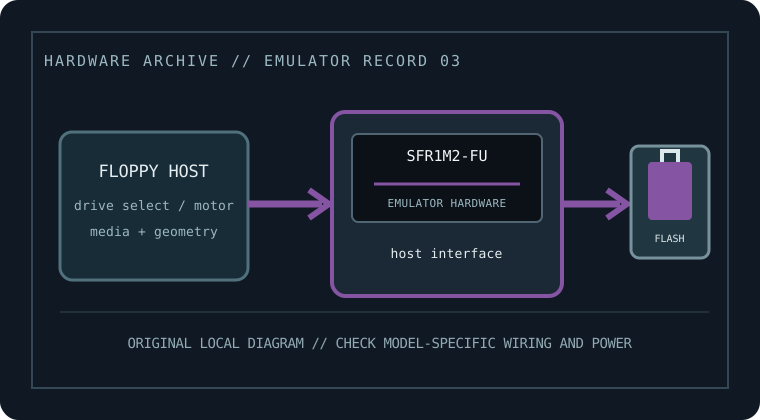
MODEL IDENTIFICATION: SFR1M2-FU — Gotek SFR1M2-FU 1.2 MB USB Floppy Emulator. Compatibility depends on the exact host, connector, signals, firmware, and image preparation; a matching nominal capacity alone is not enough.
Recorded specifications
| Cataloged part / SKU | Gotek SFR1M2-FU 1.2 MB USB Floppy Emulator |
|---|---|
| Manufacturer | Gotek |
| Product family | 5.25-inch-class / 1.2 MB high-density machine-specific replacement |
| Drive bay / physical fit | Drive-bay and mounting hardware are equipment-specific; do not assume a PC 5.25-inch bezel is included. |
| Host interface | Use the target Shima Seiki SES machine connection and supplied harness. Connector, pinout, and drive-select wiring must match the actual SES revision. |
| Supported floppy formats | 1.2 MB high-density PC-style geometry is the nominal emulated capacity class (80 tracks × 2 sides × 15 sectors × 512 bytes); exact machine-specific recording parameters and accepted image files require verification. |
| Image / storage handling | USB flash media with factory firmware; follow the SFR1M2-FU manual for how the host image is named, selected, and prepared. |
| Disk-select / drive wiring | Set drive select and any density/ready options only per the SES manual and Gotek wiring sheet. Check pin one and motor/disk-change behavior; do not apply a PC cable twist by assumption. |
| Power | Use only the supply input documented for the exact harness and board revision; verify rated voltage and polarity before installation. |
| Host compatibility | Manufacturer lists the SFR1M2-FU for Shima Seiki SES-series knitting machines. This does not imply compatibility with unrelated 1.2 MB drives or controllers. |
Compatibility, installation & caveats
Before installation, compare the emulator’s exact revision and harness against the host service documentation. Confirm connector keying and pin one, power voltage and polarity, drive-select state, motor/disk-change signals, expected density, and image geometry. Preserve a read-only copy of original disks and configuration files before experimenting.
- A virtual 1.2 MB sector image cannot necessarily reproduce proprietary machine formats, nonstandard sector timing, write protection, or copy protection. Preserve original disks before migration.
- Firmware changes can alter accepted image types, read/write behavior, and host timing. Record the installed firmware and test only with copies before relying on it.
- These devices emulate sector-level floppy behavior, not a magnetic medium. For preservation of nonstandard tracks, copy protection, or forensic evidence, use a flux-capable capture workflow and retain its raw captures.
Sources & further reading
- Gotek — SFR1M2-FU product listingManufacturer listing identifying the specific model and its intended class/application.
- Gotek — FU Version user manual (family guidance; confirm SKU-specific harness)Manufacturer family guidance; confirm the exact model variant, harness, media preparation, wiring, and power before installation.
- Gotek — manuals and setup downloadsManufacturer download index for choosing the exact emulator variant and its supported USB workflow.
Manufacturer statements are not a guarantee for every machine revision. Check the actual device label, harness, host service manual, and firmware before connecting.