[ INDIVIDUAL CPU COMPONENT ]
Intel Core 2 Quad Q6600
Kentsfield quad-core, 2007; 4C/4T, 2.40 GHz, 8 MB shared L2, 1066 MT/s FSB; B3 105 W or G0 95 W. Model-specific record; confirm the complete part marking before installation.
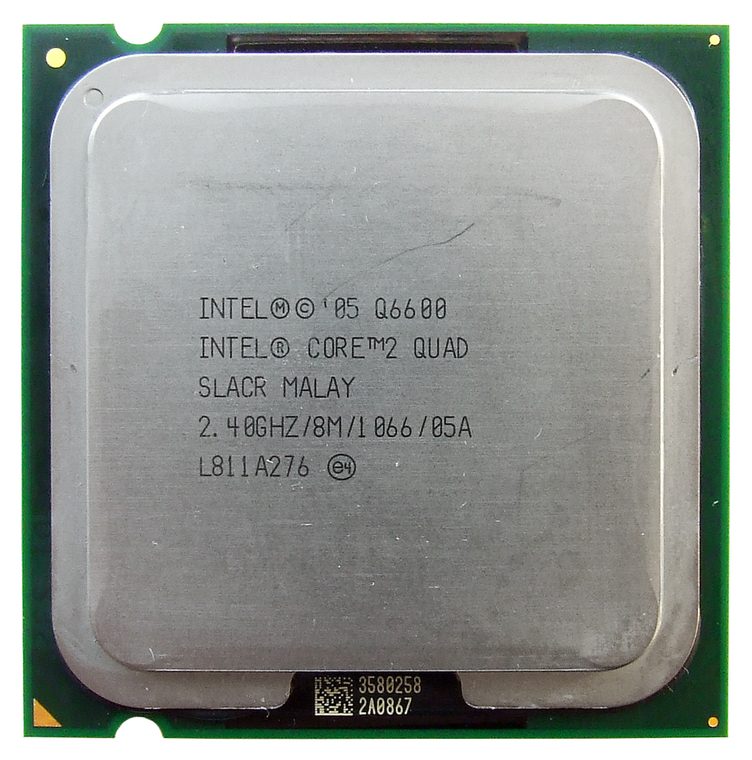
IDENTIFICATION: Intel Core 2 Quad Q6600. Product name alone does not establish package, stepping, voltage or firmware compatibility.
Verified model specifications
| Catalog path | Intel → Core desktop generations |
|---|---|
| Model and compute | Kentsfield quad-core, 2007; 4C/4T, 2.40 GHz, 8 MB shared L2, 1066 MT/s FSB; B3 105 W or G0 95 W |
| Package / socket | LGA775 / Socket T |
| Compatibility | Needs Kentsfield-capable board/chipset and BIOS; confirm board power rating |
| Stepping and variants | B3 SL9UM (105 W) differs from G0 SLACR (95 W); check S-spec |
Compatibility and service
- Needs Kentsfield-capable board/chipset and BIOS; confirm board power rating
- B3 SL9UM (105 W) differs from G0 SLACR (95 W); check S-spec
- Record S-spec, package/date code and board BIOS; inspect socket contacts
- Confirm board manual, exact CPU support list, firmware, voltage/power, memory and cooling before use; never force a package.
Service & archival notes
Record S-spec, package/date code and board BIOS; inspect socket contacts
Photograph package, markings, contacts and date/lot codes before repair. Log host board, BIOS/microcode, memory, cooler, condition, provenance and source revision.
Sources & further reading
- Intel ARK — Intel Core 2 Quad Q6600Manufacturer specifications; search exact model and package S-spec.
- Intel processor architecture manualsManufacturer reference for architecture and instruction behavior.
- Krow Benchmarks — Core 2 Quad Q6600 + HD 7850 1GB - Test in 40 GamesIndependent video review; treat as supplementary context, not primary manufacturer documentation.
Manufacturer documents take precedence. Family-level references may not resolve every stepping; verify the marking and motherboard CPU list.